Redis Cluster basic setup
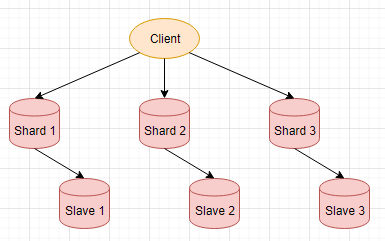
Disclaimer: Make sure to use Redis 5 to follow along this quick guide, if using the older distribution, please refer to Official Documentation for more information. This works on Redhat 7, to install Redis 5 #Set up repo rpm -ivh https://rpms.remirepo.net/enterprise/remi-release-7.rpm # install redis yum install -y redis --enablerepo=remi This creates 3 shards and 3 replicas Client we are using here is the redis-cli command line tool ShardX, SalveX are redis-server processes #create conf files node1.conf ------------------ port 7001 cluster-enabled yes cluster-config-file cluster-node-1.conf cluster-node-timeout 5000 appendonly yes appendfilename node-1.aof dbfilename dump-1.rdb . . . node6.conf ------------------ port 7006 cluster-enabled yes cluster-config-file cluster-node-6.conf cluster-node-timeout 5000 appendonly yes appendfilename node-6.aof dbfilename dump-6.rdb #Start each redis-server node ----------------...