Posts

Showing posts with the label technology

MongoDB bi connector v2.0.1, schemaDirectory option
Image
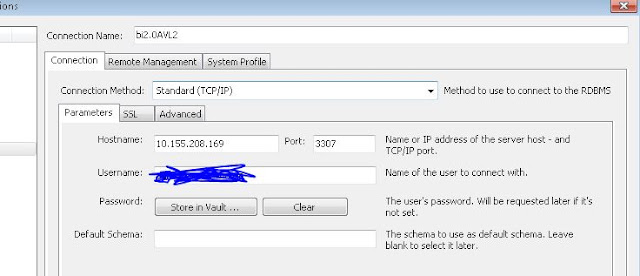
This post is to show that mongosqld schemaDirectory option requires the process to restart in order for the new drdl file to be picked up by the process. Identify mongosqld version [root@msdlva-dsnavl04 smartDrdl]# mongosqld --version mongosqld version v2.0.1 git version: 932107fa830951b6601b28cab2df234806cb3cd2 I have started the mongosqld as such  [root@msdlva-dsnavl04 smartDrdl]# ps -ef | grep mongosqld root     18506 14799  0 13:37 pts/1    00:00:01 mongosqld --addr=10.155.208.169:3307 --schemaDirectory=/apps/drdl --mongo-uri mongodb://xxx/?replicaSet=yyy --logPath /apps/biLog/mongoBI.log --sslPEMKeyFile=/apps/certs/mongodb.pem --sslAllowInvalidCertificates --auth --verbose=5 Let's check what files are in the drdl directory: [root@msdlva-dsnavl04 drdl]# ls -altr total 36 -rw-r--r--  1 root    root    11793 Jul 19 13:35 equipStatus.drdl -rw-r--r--  1 root    root ...

MongoDB BI Connector Uninstallation and Installation

This is a quick guide to uninstall and install any version of mongodb bi connector: First Identify the mongosqld is indeed present on this box. [root@msdlva-dsnavl04 ~]# mongosqld --version mongosqld version v2.2.0-rc0 git version: eface8f89d6b65fba09d831d6471b527ab508ab0 Identify where the mongosqld is installed [root@msdlva-dsnavl04 apps]# which mongosqld /usr/local/bin/mongosqld Mongosqld is usally installed with mongodrdl, therefore, we can just identify them by running [root@msdlva-dsnavl04 ~]# ls /usr/local/bin | grep mongo mongodrdl mongosqld or we can simply do  which mongodrdl, and we can find where the mongodrdl is installed Remove binaries [root@msdlva-dsnavl04 ~]# rm -r /usr/local/bin/mongo* rm: remove regular file ‘/usr/local/bin/mongodrdl’? y rm: remove regular file ‘/usr/local/bin/mongosqld’? y Download the versions you desire and copy onto the server.  I want to work with version 2.0,  ...