Posts

Showing posts with the label configuration

MongoDB: Change replica set name

This is just a quick reference guide for change the replica set name, for anyone who wish to give this a try, simply replace mongo-n to your own hostname, We will first find and kill the mongod processes running on each host then we will start them individually without the --replSet keyword, which simply means we will start each mongod as standalone database. They are started as follows: Note: if /etc/mongod.conf is used, simply remove --replSet in the config file and start mongod Node1: sudo -u mongodb mongod --port 27017 --dbpath /data/db --logpath /data/db/log/mongod.log --bind_ip localhost,mongo-1 --keyFile /etc/mongo.keyfile --fork Node2: sudo -u mongodb mongod --port 27017 --dbpath /data/db --logpath /data/db/log/mongod.log --bind_ip localhost,mongo-2 --keyFile /etc/mongo.keyfile --fork Node3: sudo -u mongodb mongod --port 27017 --dbpath /data/db --logpath /data/db/log/mongod.log --bind_ip localhost,mongo-3 --keyFile /etc/mongo.keyfile --fork Once all mongod...
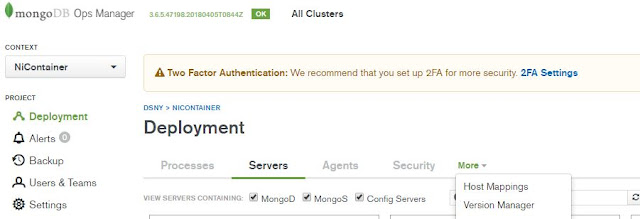
MongoDB OpsManager 3.6.5 version manifest binary location change

Image
I ran into an issue after I initiated a backup job through opsmanager, which indicated that the db version directory is not available. First I check my version manifest to see if the version that the daemon process is looking for is checked Click on version manager Then we can select the MongoDB versions Since I can see these are checked, I went to the default location where these db versions are stored, then I realized the default location simply does not have enough room to store all these binaries. I had to change the location to store them Default location where OpsManager would download the binary for various versions of MongoDB is /opt/mongodb/mms/mongodb-releases/, we can change it by clicking into admin on top right corner of the page , then General > Ops Manager Config > Miscellaneous, scroll down to Versions Directory and change the value there. Once the change has been made, go back to the terminal and restart the ops manager by running service mon...

MongoDB OpsManager 3.6.5 installation and monitoring agent configuration

Image
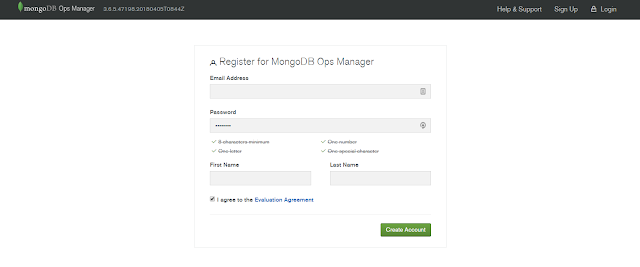
OpsManager 3.6.5 installation This is just a quick guide for myself, documenting step by step how to implement MongoDB OpsManagernote: mongod version: 3.6.x Download from https://www.mongodb.com/download-center#ops-manager 1. Create backing databases a. OpsManager App DB b. OpsManager Backup DB (Op DB, BlockStore DB) Startup backing app db. sudo -u mongod mongod --port 25001 --dbpath /data/mongod/appDB --logpath /data/mongod/appDBLog/applog1.log --replSet opApp --bind_ip localhost,10.155.228.75 --cpu --fork sudo -u mongod mongod --port 25001 --dbpath /data/mongod/appDB --logpath /data/mongod/appDBLog/applog1.log --replSet opApp --bind_ip localhost,10.155.208.207 --cpu --fork sudo -u mongod  mongod --port 25001 --dbpath /data/mongod/appArb --logpath /data/mongod/appArbLog/appArblog1.log --replSet opApp --cpu --bind_ip localhost,10.155.208.169 --fork on host 75 mongo --port 25001 rs.initiate() run as MongoDB Enterprise opApp:PRIMARY> ...

MongoDB tip: MongoDB 3.4, creating replica set using config file

In my previous post,  MongoDB tip: MongoDB 3.4, adding replica set members, issue/resolution , we created the replica set using rs.add(), in this post, I am going to use the config file option to achieve the same result. First, let's spin up 3 mongod instances. This can be done in single servers or multiple servers, doesn't really matter, as long as for multiple servers, they can resolve the IP/hostname and communicate with one another. I edited the /etc/hosts to make sure the hostname can be resolved 127.0.0.1   localhost localhost.localdomain localhost4 localhost4.localdomain 10.155.208.169  demo2.net demo2 10.155.228.75   demo3.net demo3 10.155.208.207  demo1.net demo1 To validate, same ping from one of the servers to the other two by, assuming from demo3 ping demo1 ping demo2 On all servers, start the mongod process as # assign ownership of /data/demo to user mongod chown -R mongod. /data/demo # this starts mongod process as user mongo...