Posts

Showing posts with the label MongoDB BI Connector

MongoDB BI Connector - a more elaborative guide
Image
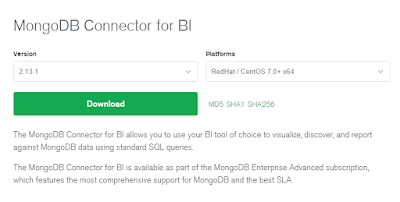
It's been a while since I last wrote about MongoDB BI Connector but I felt it's still quite important as most people still feel more comfortable getting their information from using conventional tabular format.  Let's get started! 0. Where to Download Simple choose the platform you would like to host your MongoDB BI Connector process 1. How to install   A. on windows Simply download the .msi, keep everything as default, just click next when prompted, and hit Finish to close the window when installation is completed. B. on linux, will try to point out the difference in the distribution if I encounter any Here I am just using Redhat 7.x as an example scp this onto my Redhat Linux Server, I have installed and configured mingw, therefore, I am able to run scp on my windows box, one of the alternatives would be to use winscp scp mongodb-bi-linux-x86_64-rhel70-v2.13.1.tgz <user>@<target ip>:/tmp Log onto the server U...

Interesting Tip: Run query against MongoDB using SQL Server

Image
Disclaimer: This is just a quick setup I had to do to expose MongoDB to SQL Server user, this is still a work in progress because not everything works, only non string fields work so far, such as number and date, at least I haven't found a way to get around it.  Update: So far the major types that we typically query all work for me, such as varchar, int, and datetime. Components: SSMS, SQL Server v2008 (It should also work for 2012 or 2016) MongoDB 3.2.x MongoDB BI Connector v2.2 mysql-connector-odbc-5.3.9 I am going to jump directly to the setup on SQL Server as I have done a little bit of bi connector setups in the post1 , post2 , Please refer to them for setting that up. First, let's download the mysql-connector-odbc, here I have downloaded the latest version which is available to me, the 5.3.9 version. Then we simply need to install that on the server where we are going to set up our odbc connection. After the setup is complete, we can go to  ...

MongoDB tip: mongodb security with user authentication and role assignment, limiting access via mongodb bi connector

Image
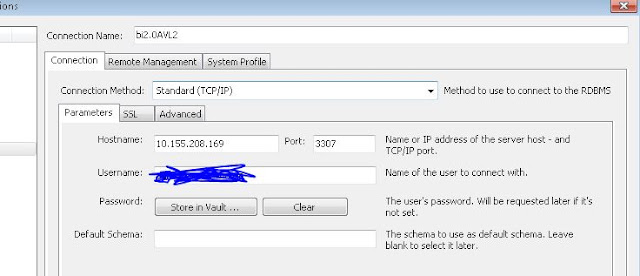
This post should be treated as continuation of the previous post on authentication , I will also use mysql workbench to display how this can enhance the access control to mongod via MongoDB BI Connector. Please refer to  this post and/or this post for more information on MongoDB BI Connector. From previous posts, we have created an "admin" user with admin role "root", here is what we had created. minerva-reports:PRIMARY> db.getUser("admin") {         "_id" : "admin.admin",         "user" : "admin",         "db" : "admin",         "roles" : [                 {                         "role" : "root",                         "db" : "admin"                 }        ...

MongoDB bi connector v2.0.1, schemaDirectory option

Image
This post is to show that mongosqld schemaDirectory option requires the process to restart in order for the new drdl file to be picked up by the process. Identify mongosqld version [root@msdlva-dsnavl04 smartDrdl]# mongosqld --version mongosqld version v2.0.1 git version: 932107fa830951b6601b28cab2df234806cb3cd2 I have started the mongosqld as such  [root@msdlva-dsnavl04 smartDrdl]# ps -ef | grep mongosqld root     18506 14799  0 13:37 pts/1    00:00:01 mongosqld --addr=10.155.208.169:3307 --schemaDirectory=/apps/drdl --mongo-uri mongodb://xxx/?replicaSet=yyy --logPath /apps/biLog/mongoBI.log --sslPEMKeyFile=/apps/certs/mongodb.pem --sslAllowInvalidCertificates --auth --verbose=5 Let's check what files are in the drdl directory: [root@msdlva-dsnavl04 drdl]# ls -altr total 36 -rw-r--r--  1 root    root    11793 Jul 19 13:35 equipStatus.drdl -rw-r--r--  1 root    root ...

MongoDB BI Connector Uninstallation and Installation

This is a quick guide to uninstall and install any version of mongodb bi connector: First Identify the mongosqld is indeed present on this box. [root@msdlva-dsnavl04 ~]# mongosqld --version mongosqld version v2.2.0-rc0 git version: eface8f89d6b65fba09d831d6471b527ab508ab0 Identify where the mongosqld is installed [root@msdlva-dsnavl04 apps]# which mongosqld /usr/local/bin/mongosqld Mongosqld is usally installed with mongodrdl, therefore, we can just identify them by running [root@msdlva-dsnavl04 ~]# ls /usr/local/bin | grep mongo mongodrdl mongosqld or we can simply do  which mongodrdl, and we can find where the mongodrdl is installed Remove binaries [root@msdlva-dsnavl04 ~]# rm -r /usr/local/bin/mongo* rm: remove regular file ‘/usr/local/bin/mongodrdl’? y rm: remove regular file ‘/usr/local/bin/mongosqld’? y Download the versions you desire and copy onto the server.  I want to work with version 2.0,  ...