Posts

Showing posts with the label monitoring agent

MongoDB OpsManager 3.6.5, managing multiple agents

Image
We have installed and configured multiple monitoring agent to communicate with OpsManager, however, there can only be one active Monitoring Agent at a time. It's good to have multiple monitoring agent because OpsManager is able to switch over to the remaining monitoring agent automatically when the "Active" agent fails. The lightening shape under type indicates they are monitoring agent and note how one is active and one is standby. To switch to another, we need to go to the host where the monitoring agent is running and run  sudo systemctl stop mongodb-mms-monitoring-agent.service Run the folllowing to make sure it's stopped, it will take a few second for the standby monitoring agent to now become active sudo systemctl status mongodb-mms-monitoring-agent.service ● mongodb-mms-monitoring-agent.service - MongoDB MMS Monitoring Agent    Loaded: loaded (/etc/systemd/system/mongodb-mms-monitoring-agent.service; disabled; vendor preset: disa...
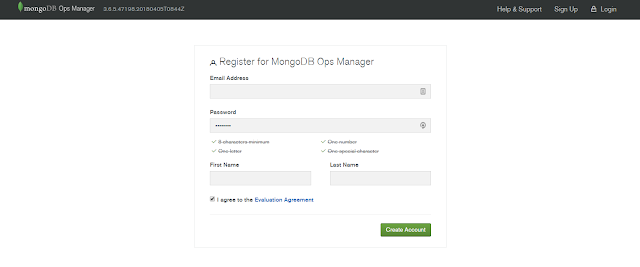
MongoDB OpsManager 3.6.5 installation and monitoring agent configuration

Image
OpsManager 3.6.5 installation This is just a quick guide for myself, documenting step by step how to implement MongoDB OpsManagernote: mongod version: 3.6.x Download from https://www.mongodb.com/download-center#ops-manager 1. Create backing databases a. OpsManager App DB b. OpsManager Backup DB (Op DB, BlockStore DB) Startup backing app db. sudo -u mongod mongod --port 25001 --dbpath /data/mongod/appDB --logpath /data/mongod/appDBLog/applog1.log --replSet opApp --bind_ip localhost,10.155.228.75 --cpu --fork sudo -u mongod mongod --port 25001 --dbpath /data/mongod/appDB --logpath /data/mongod/appDBLog/applog1.log --replSet opApp --bind_ip localhost,10.155.208.207 --cpu --fork sudo -u mongod  mongod --port 25001 --dbpath /data/mongod/appArb --logpath /data/mongod/appArbLog/appArblog1.log --replSet opApp --cpu --bind_ip localhost,10.155.208.169 --fork on host 75 mongo --port 25001 rs.initiate() run as MongoDB Enterprise opApp:PRIMARY> ...